How to Clear Cache on iPhone to Free Up Space (2026 Guide)
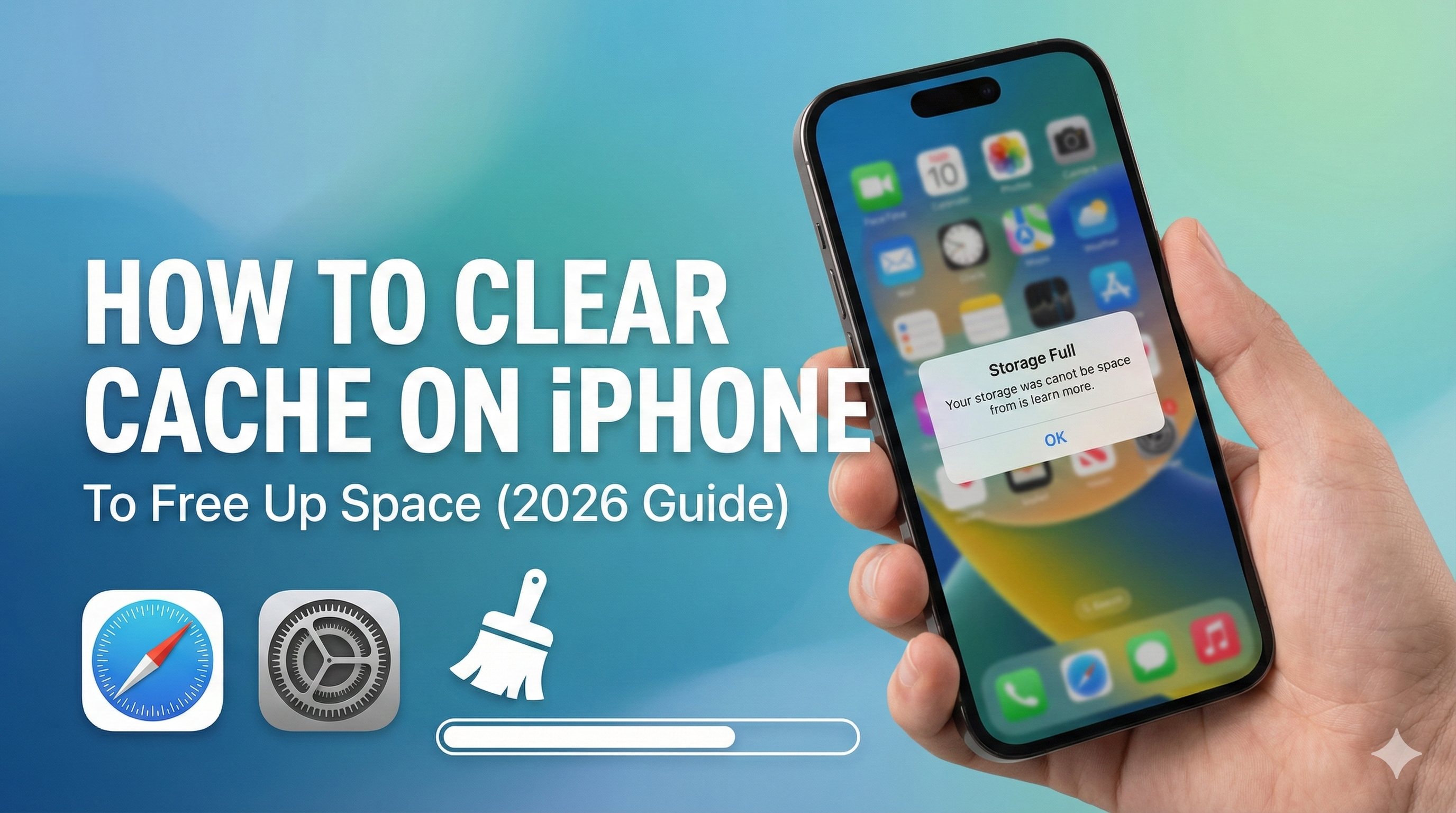
Nothing is more annoying than trying to take a photo and seeing the "Storage Full" pop-up.
You've already deleted your old photos. You've cleared your messages. But your iPhone still says it's full. The culprit is often hidden cache and "System Data".
In this guide, we'll show you 3 proven ways to clear cache on iPhone and reclaim gigabytes of space.
Method 1: Clear Safari Cache (The Biggest Culprit)
Every website you visit saves data (images, scripts, cookies) to your phone. Over time, this can grow to several gigabytes.
How to clear it:
- Open Settings.
- Scroll down and tap Safari.
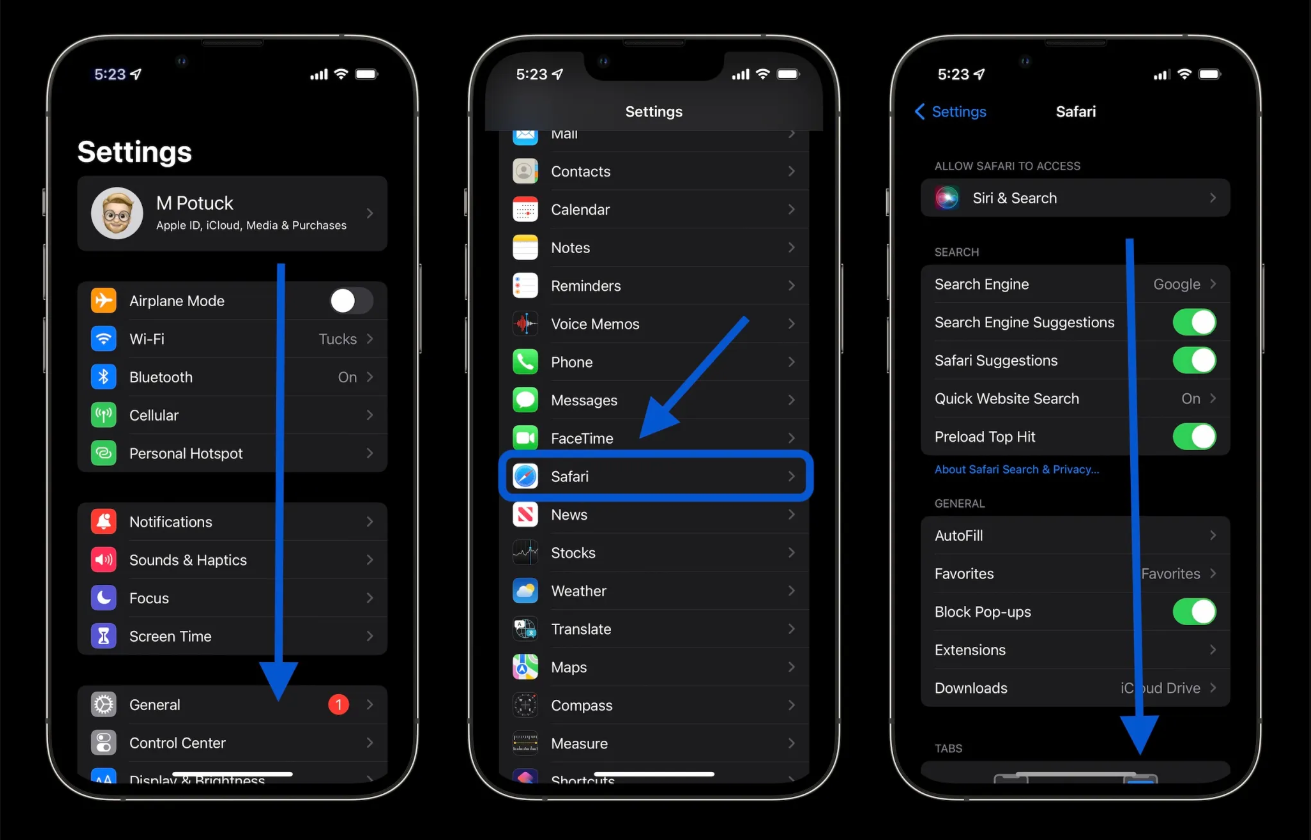
- Scroll to the bottom and tap Clear History and Website Data.
- Confirm by tapping Clear History.
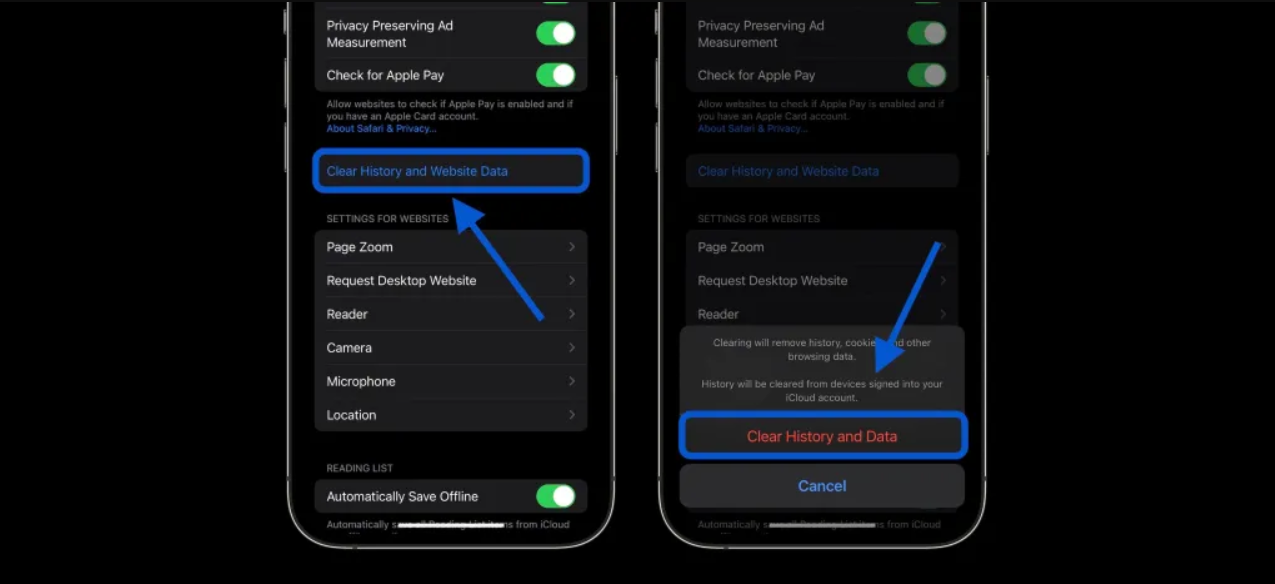
Note: This will log you out of websites, so make sure you know your passwords.
Method 2: Offload Unused Apps
We all have apps we downloaded once and never used again. These apps hoard storage space.
How to automate this:
- Open Settings.
- Tap App Store.
- Toggle on Offload Unused Apps.
This feature automatically deletes the app binary but keeps your documents and data. It’s a lifesaver for 64GB or 128GB iPhones.
Method 3: Stop Downloading Single-Use Apps (Pro Tip)
Here is a secret to keeping your iPhone clean: Don't download an app if a website can do the job.
For example, do you have a document scanner app installed? Most scanner apps are 200MB+ in size, plus they store high-resolution scans on your device, eating up even more space.
The Space-Saving Alternative: Next time you need to scan a document, don't download an app. Use Instant iPhone Scanner.
- Zero Install: It runs in Safari.
- Zero Storage: It processes images in your browser and lets you save the PDF to iCloud or share it immediately.
- 100% Free: No "premium" subscriptions just to export a file.
Conclusion
To keep your iPhone fast and clutter-free:
- Clear your Safari cache monthly.
- Offload apps you don't use.
- Replace heavy utility apps with web tools like scanoniphone.com.
Start clearing your cache today and give your iPhone some room to breathe!